
How OpenClaw Can Be Your AI Assistant in Real Estate Business
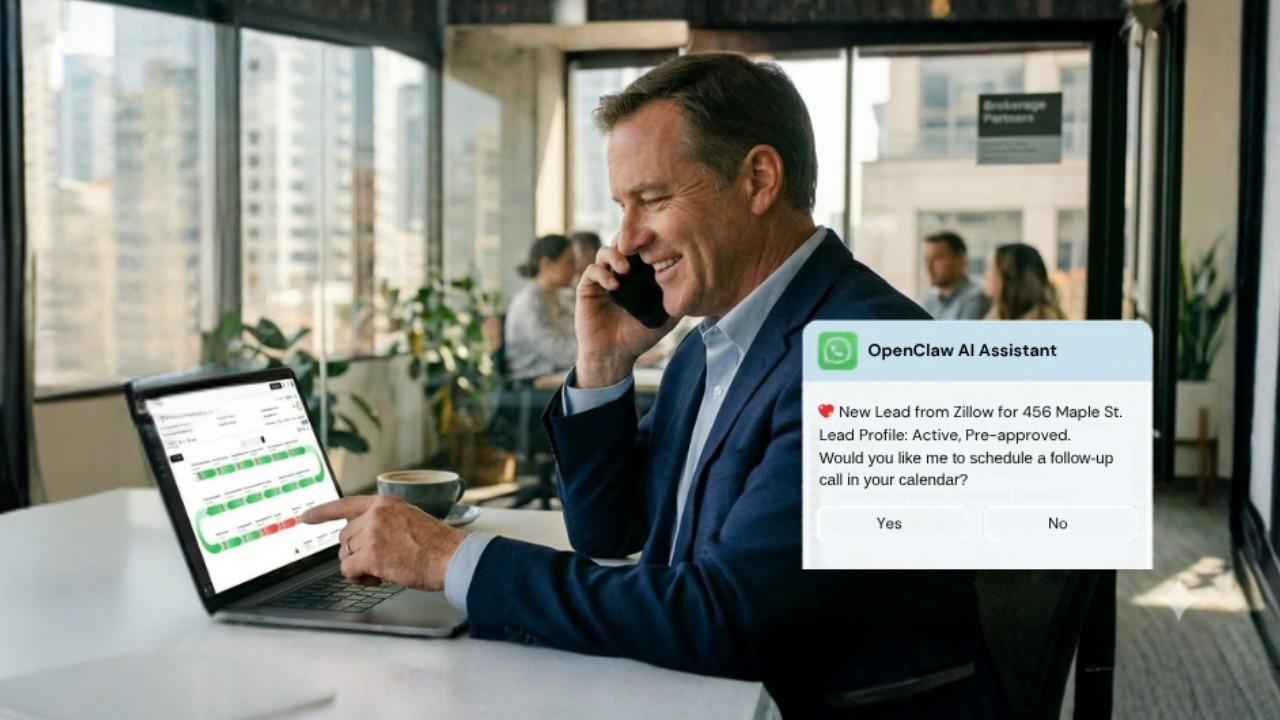
In today’s competitive real estate market, top agents succeed not by working longer hours, but by leveraging smarter systems. If you’re using a transaction management platform like Trackxi, you’ve already nailed the essentials: a “Single Source of Truth” for your milestones, document compliance, and client communication. Your contract-to-close workflow is streamlined, professional, and secure.
However, as every top producer knows, the work doesn’t stop at the transaction.
There is a massive layer of “growth work” that happens alongside your active deals: high-volume lead nurturing, consistent social media marketing, and the complex scheduling of inspections and showings. That’s where OpenClaw steps in. Think of it like a digital right hand that actually gets things done. While most tools just sit there showing you lists of data, OpenClaw interacts with it, acting as a 24/7 executive assistant that bridges the gap between your chaotic inbox, your CRM, and your phone. In this guide, we will explore what OpenClaw is, drawbacks and how it can be used in real estate.
What is OpenClaw AI?

At its core, OpenClaw is an open-source, self-hosted AI agent. Most of us are used to chatbots that just answer questions, but Open Claw AI operates differently – it’s designed to cross between your apps and actually get things done. Because it runs on your own hardware or server, you can plug it into high-end models like GPT-4, Claude, or DeepSeek to handle your heavy lifting.
For anyone in real estate, this is the official bridge from “Chat AI”, where you just talk to “Action AI,” where the work actually happens.
For the real estate professional, this represents a shift from Chat AI to Action AI. Instead of just writing a property description, OpenClaw can be configured to interact with your local files, calendar, and communication channels. This “Agentic” approach turns a passive tool into an active digital teammate, allowing you to define the boundaries of what the AI can see and which tasks it is allowed to automate.
Key Features of OpenClaw for Real Estate Agents
OpenClaw isn’t here to replace your existing tech stack; think of it as the digital teammate that handles the “busy work” while you are out showing houses or sitting at a closing table. It steps in to manage the high-volume tasks that usually eat up your evenings.
- Taming the Inbox Chaos: Instead of spending your morning digging through fifty emails just to find one showing request, OpenClaw acts as your filter. It pre-screens the noise, pulling out the “must-reads” and flagging urgent questions. It even catches those annoying scheduling conflicts like two people trying to grab the same 2:00 PM slot long before you’ve even had your first cup of coffee or opened your laptop.
- Reading the Fine Print for You: We all deal with mountain-high stacks of PDFs and disclosures. OpenClaw can actually “read” these documents, pulling out the vital stats or drafting a quick, simple summary that you can text over to your client so they aren’t overwhelmed by legal jargon.
- Multi-Channel Communication: It is flexible enough to integrate with all of your apps to send notifications and updates and to create alerts via WhatsApp, Telegram, Slack, and Email according to your needs and choices.
- Marketing on Autopilot: Your brand shouldn’t go dark just because you’re busy with a walkthrough. OpenClaw helps draft property descriptions that actually sound local and human, then schedules your social media posts so your listings keep getting eyes on them 24/7.
- A Calendar That Thinks Ahead: By syncing directly with your CRM and Google Calendar, it does more than just “log” appointments. It can proactively suggest open windows to co-op agents and handle the back-and-forth of scheduling, so your Tuesday morning doesn’t turn into a game of phone tag.
How OpenClaw Can Assist Real Estate Agents (Outside Transaction Management)

OpenClaw is not a transaction management system. Instead, it works as an AI assistant for other tasks that sit around your core tools. Here’s how real‑estate teams can use it:
1. Lead Handling and Follow‑Ups
- Track WhatsApp, SMS or email to new requests and pre-screen leads using straightforward inquiries and responses.
- Automatically send personalized follow-up sequences and reminders, and store the actual deals records in your CRM or transaction system.
- Auto‑generate short notes summarizing conversations so agents can quickly catch up without reading every message.
This keeps your CRM and transaction tools as the source of truth, while OpenClaw handles the communication and initial qualification.
2. Listing Content and Marketing
- Draft property descriptions, social‑media posts, and email campaigns for new listings and open houses.
- Repurpose long‑form content (blogs, videos, or neighborhood guides) into short captions, carousels, and newsletters.
- Optimize text for local SEO keywords such as “best real estate agent in [city]” or “new [property type] in [neighborhood]” so your listings gain more visibility.
By using OpenClaw this way, agents can stay active online and consistent with branding, without touching transaction management at all.
3. Market Research and Competitive Intelligence
- Track local listings, price changes, and neighborhood news from public sources and summarize them in daily or weekly reports.
- Compare your listings against competitors and highlight differences in pricing, amenities, or marketing language.
- Generate insights such as “price trends in [area]” or “average days on market for [property type]” to help agents advise clients.
This research layer runs outside your transaction system, giving your team smarter talking points without changing any deal records.
4. The "Instant Response" Workflow: From Lead to WhatsApp
The most critical moment in real estate is the first five minutes after a lead is generated. If you are in a closing or driving a client, that lead often goes cold. Here is how OpenClaw changes the game.
Bridging the Gap Between CRM and Reality
Imagine a new lead enters your CRM from a Zillow inquiry. Normally, you’d get a generic notification. With OpenClaw integrated into your workflow:
- The Trigger: The CRM receives the lead and an initial inquiry email arrives.
- The Analysis: OpenClaw reads the email, identifies the property of interest, the buyer’s budget, and their specific questions (e.g., “Does this house have a finished basement?”).
- The Delivery: Instead of you digging through your CRM, OpenClaw sends a WhatsApp message to your phone:
“New Lead: Sarah Miller. Interested in 123 Maple St. She’s pre-approved for $500k and wants to know about the basement. Should I send her the disclosure package and offer a call tomorrow morning?”
The Power of "Reply-to-Action"
And this is where it gets strong. There is no need to open up your laptop. All you do is to respond to that WhatsApp message with: Yes, please send the docs and have a call at 10 AM.
OpenClaw then:
- Find the disclosure PDF in your files.
- Email it to Sarah.
- Check your Google Calendar for the 10 AM slot.
- Send a calendar invite to both you and the lead.
5. Email Summarization: Ending the "Inbox Anxiety"
Real estate agents receive an average of 100+ emails a day. A significant portion of these are long threads involving lenders, escrow officers, and co-op agents.
Shifting Through the "Reply-All" Noise
When a transaction is under contract, the email volume triples. OpenClaw acts as a filter. It can be programmed to “Watch” specific transaction folders or labels.
Instead of reading 15 emails about a delayed appraisal, OpenClaw provides a Daily Briefing or an On-Demand Summary:
- The Query: You text OpenClaw: “Status on Smith Escrow?”
- The AI Action: It scans the last 24 hours of emails tagged “Smith.”
- The Summary: “The appraisal came in at $5k low. The buyer’s agent is asking for a price reduction. The lender says the loan is still viable if the buyer brings more cash. You haven’t replied to the last email from the Escrow Officer regarding the title search.”
Important Drawbacks: What to Know Before Using OpenClaw AI

While it’s tempting to give OpenClaw full access to your business to maximize its helpfulness, doing so creates a massive security loophole. OpenClaw isn’t just a chatbot; it’s an active agent that moves through your digital life.
The Privacy Risk: If you allow an AI agent to roam freely through your entire computer or CRM, you are essentially leaving the keys to your “digital vault” in the lock. Since it connects to external AI models (like OpenAI or Anthropic), sensitive data such as Social Security numbers, bank wiring instructions, or private client contracts, could potentially be processed outside your secure network.
Never give an AI assistant “God Mode” over your files. Even the simple mistake in interpretation or a malicious email trick might make the agent accidentally leak or destroy personal and client data. Limit it to certain, non-sensitive operations so that your business remains automated without making it an easy target.
Security and Data‑Flow Best Practices
Because OpenClaw can access files, messages, and business tools, security and clear data‑flow rules are essential. Here’s how real‑estate teams can use it safely:
1. Keep OpenClaw Separate From Transaction Systems
Do not connect OpenClaw directly to your transaction management platform.
Instead, restrict it to:
- Lead channels (WhatsApp, SMS, email).
- Document storage for draft content and research.
- Internal tools like Slack or team chat for automation.
2. Host OpenClaw Privately
- Run OpenClaw on your own server or local machine so client data stays in your control.
- Avoid third‑party hosting unless you have strict data‑protection agreements.
3. Limit Permissions and Access
Only allow OpenClaw to access:
- Non‑sensitive communication channels.
- Draft documents and marketing content.
- Public or pseudo‑anonymized data for research.
Block access to any system that stores contracts, closing details, or financial records.
4. Use Human‑in‑the‑Loop Approval
- For any sensitive actions such as sharing offers, pricing suggestions, or private client information, require manual approval before execution.
- Never allow the AI to auto‑sign or auto‑approve anything that affects a deal.
5. Maintain an Audit Trail
Log every action OpenClaw takes, including:
- What triggered the action (e.g., “new lead in WhatsApp”).
- What changed (e.g., “draft email created for listing X”).
This helps teams track performance, debug issues, and demonstrate compliance.
These practices ensure that OpenClaw remains a secure assistant for other tasks, not a risky surrogate for your transaction management system.
How OpenClaw Can Streamline Your Real Estate Business
By positioning OpenClaw as an AI assistant for non‑transactional tasks, real‑estate teams can:
- Respond to leads faster without hiring extra staff.
- Stay active and visible online with consistent, high‑quality content.
- Gain deeper market insights that help you price and position listings better.
- Reduce admin overhead from repetitive follow‑ups and documentation.
In short, OpenClaw becomes a support layer around your core systems, not a replacement for them. This lets your transaction management platform stay focused on deals, while OpenClaw handles the surrounding work that drives growth.
Final Thoughts
The real estate business has always been and always will be a people business. Technology like OpenClaw and AI-powered transaction management doesn’t change that; it protects it. By delegating repetitive administrative tasks to an AI assistant, you reclaim your time to do the things only you can do: advocate for your clients, negotiate the best terms, and build a lasting legacy.
OpenClaw doesn’t need to replace your transaction management software to add massive value. When used as an AI assistant for your “growth work,” it helps your team respond faster, market smarter, and operate more efficiently, while your core systems stay safe, simple, and in control.
Using the best transaction management platform alongside the secure power of OpenClaw represents the next frontier of real estate productivity.
Ready to Streamline Your Business?
Give a safe and secure try with OpenClaw for your generic, high-volume tasks while keeping your core business protected. Start your free trial with Trackxi today and see how a “Single Source of Truth” transforms your transaction management process from contract to close.
FAQ
Think of OpenClaw as a digital teammate rather than just another chatbot. While a standard AI just answers questions, an AI Agent like OpenClaw can actually execute real estate workflows. It can jump into your inbox, check your calendar, or send a WhatsApp update to a lead, handling the "busy work" that usually eats up your morning.
No. OpenClaw is an automation engine, not a secure contract-to-close platform. Granting an AI agent access to executed contracts, earnest money receipts, or closing disclosures is a massive compliance risk. You should always keep your "Single Source of Truth" like Trackxi isolated and secure for your actual deal files.
Only if you set hard boundaries. You should never give an AI "God Mode" over your entire brokerage inbox. The safest move is to let it "watch" a specific New Lead folder. Keep it far away from threads involving wiring instructions, social security numbers, or private offer terms to prevent any accidental data leaks.
The industry "gold standard" is data isolation. Instead of hosting it on your main work laptop where all your sensitive client files live, run OpenClaw in a "sandbox" on a separate, dedicated device like a Raspberry Pi or an old Mac Mini. This way, even if the AI hits a glitch, your primary database and escrow files stay completely untouched.
