
How to Audit-Proof Your Real Estate Transaction Process
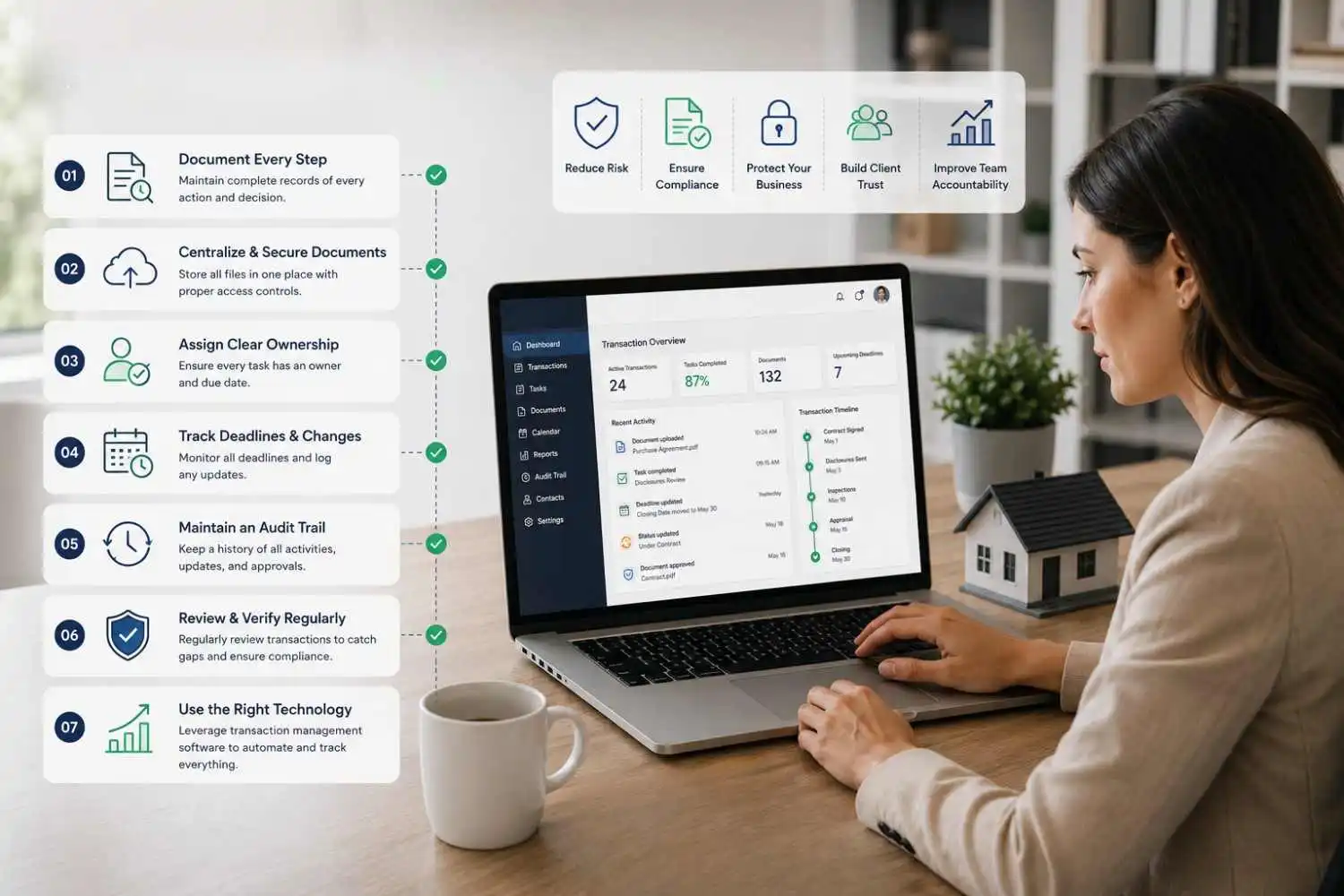
A real estate transaction can have all the right documents and still be difficult to audit.
The problem is often not missing paperwork. It is missing context.
A document may be in the file, but who uploaded it? When was it reviewed? Was it replaced? Who approved it? When did a critical deadline change? Was the required task completed before the deadline?
These questions are where a transaction process can become difficult to reconstruct.
An audit-ready real estate transaction process creates a clear record of important activity from contract to close. It connects documents, tasks, deadlines, reviews, approvals, and changes so the brokerage can understand not only what is in the transaction file, but what happened throughout the transaction.
This is where a reliable real estate audit trail becomes important.
Instead of preparing transaction records after an audit is requested, brokerages can build auditability into the workflow from the beginning.
What Is a Real Estate Audit Trail?

A real estate audit trail is a time-stamped record of important actions and changes associated with a transaction.
At its simplest, it answers three questions:
Who did what, when did they do it, and what changed?
Depending on the transaction management system, an audit trail may record:
- User activity
- Document uploads and changes
- Task completion
- Deadline changes
- Transaction status updates
- Reviews and approvals
- Workflow activity
- Important transaction changes
For example, suppose an inspection deadline changes from August 15 to August 20.
An audit-ready process should make it possible to determine:
Previous date → New date → Who changed it → When it changed → Related transaction activity
That history provides context that a final transaction file alone may not provide.
Why an Audit Trail Matters for Real Estate Transactions

There are several people, documents, deadlines, decisions to be made, and handoffs that occur in a real estate transaction. Agents, transaction coordinators, brokers, lenders, inspectors, clients and others may provide information as the transaction progresses toward closing.
That information can be spread across email, spreadsheets, folders, calendars and individual systems without a structured system. The team may have the final document, but not the complete history of the document itself, when it needs to be reviewed later.
A reliable real estate audit trail helps brokerages:
Create Clear Accountability
Every critical task can have an assigned owner and a record of completion, making it easier to see who was responsible for each step.
Reconstruct Transaction History
Important changes can be traced back to the action, user, and time instead of being reconstructed from memory or scattered communications.
Identify Process Gaps
Repeated missing documents, overdue tasks, deadline changes, or unclear ownership can reveal weaknesses in the transaction workflow.
Support Consistent Review Processes
Required reviews, approvals, and documentation checkpoints can be built into the workflow instead of being left until the final stages of the transaction.
Improve Transaction Visibility
Agents, transaction coordinators, and brokers can quickly see what’s been completed, what has changed, and what still needs attention without having to chase down updates from different team members.
An audit trail is useful for more than looking back at a transaction later. It gives the team a clear view of what’s happening as the transaction moves forward, making the process easier to follow and more consistent.
What Should a Real Estate Transaction Audit Trail Capture?

Not every action needs to be recorded. Focus on activities that affect the transaction, its documents, deadlines, approvals, or status
1. Document Activity
Track important document events such as:
- Document uploaded
- Document reviewed
- Document approved
- Document replaced
- Document status changed
This becomes especially useful when several versions of an agreement or addendum exist.
2. Task Activity
Critical transaction tasks should show:
Task → Owner → Due Date → Status → Completion
Instead of relying on an email saying “I’ll take care of it,” the transaction record should show who owns the task and whether it was completed.
3. Deadline Changes
Critical dates should be traceable when they change.
For example:
Closing date: September 12 → September 19
A useful record should identify the change, responsible user, and time of the update.
4. Reviews and Approvals
If a broker, manager, or compliance team reviews a transaction document or milestone, the review should be documented where appropriate.
A document being present in a folder does not necessarily show whether it was reviewed, who reviewed it, or when the review occurred.
5. Transaction Status
Important milestones should be connected to the transaction record so the team can understand where the transaction stands.
Examples may include:
Contracted → Under Review → Contingencies → Clear to Close → Closed
The exact stages should reflect the brokerage’s workflow.
7 Transaction Process Gaps That Can Create Audit Problems

Most audit gaps don’t start with a major failure. They develop from small process weaknesses.
1. Documents Are Scattered Across Systems
When transaction documents live across email, shared drives, local folders, and multiple platforms, determining whether a file is complete becomes harder.
Better approach: Establish a clear source of truth for transaction records.
2. Tasks Depend on Individual Memory
Experienced transaction coordinators may know exactly what needs to happen. But when that knowledge lives only with one person, the process becomes harder to maintain when someone is unavailable or transaction volume increases.
Better approach: Turn recurring knowledge into standardized workflows and task templates.
3. Critical Dates Are Tracked Separately
A deadline in someone’s personal calendar doesn’t provide enough visibility to the rest of the transaction team.
Better approach: Connect important dates to transaction tasks, owners, and reminders.
4. Document Versions Are Unclear
Multiple versions of an agreement can make it difficult to determine which document is current.
Better approach: Use consistent document organization and maintain appropriate version history.
5. Approvals Are Difficult to Prove
A broker may have reviewed something, but if the review was communicated informally, reconstructing it later can be difficult.
Better approach: Record important reviews and approvals as part of the transaction workflow.
6. Compliance Is Checked Only at Closing
Waiting until the transaction is about to close to identify missing documents or incomplete requirements leaves little time to correct them.
Better approach: Build review checkpoints throughout the transaction lifecycle.
7. Transaction History Is Reconstructed After the Fact
Trying to create an audit trail months after a transaction closes is significantly harder than capturing important activity when it occurs.
Better approach: Make auditability part of the normal workflow.
How to Build an Audit-Ready Real Estate Transaction Process

An audit-ready process doesn’t require more administrative work at every step.
It requires better structure around the work already being performed.
Step 1: Standardize the Core Workflow
Define the repeatable stages of your transaction process.
For example:
Contract → Transaction Setup → Documentation → Critical Milestones → Review → Closing → Archive
Then define the tasks, documents, owners, and checkpoints associated with each stage.
The process should be standardized enough to create consistency while still allowing exceptions for transaction-specific circumstances.
Step 2: Define What Makes a File Complete
Create a clear definition of a complete transaction file.
Depending on the transaction and applicable requirements, this may include:
- Agreements
- Disclosures
- Addenda
- Amendments
- Inspection-related records
- Required approvals
- Closing documentation
- Commission records
- Other brokerage-required documents
Requirements vary by jurisdiction and transaction type, so brokerages should maintain their own applicable compliance requirements.
The important part is that the team knows what must be present before a transaction can be considered complete.
Step 3: Give Every Critical Task an Owner
Every important task should answer four questions:
What needs to happen?
Who is responsible?
When is it due?
How is completion recorded?
This removes ambiguity from the transaction process.
Step 4: Connect Deadlines to Workflows
Don’t treat deadlines as isolated dates.
Connect each important deadline to the tasks required to meet it.
For example:
Inspection Deadline
- Confirm inspection
- Collect required documentation
- Complete review
- Mark milestone complete
This makes the deadline actionable instead of simply informational.
Step 5: Capture Important Changes as They Happen
When a document changes, a task is reassigned, or a critical date moves, capture that activity during the transaction.
This is one of the biggest differences between a true audit trail and a collection of transaction documents.
The record should develop as the transaction develops.
Step 6: Review Before Closing
A final transaction review should verify:
- Required documents are present
- Important tasks are complete
- Critical deadlines have been addressed
- Required reviews are documented
- Current document versions are available
- Outstanding issues are resolved
The final review should confirm the transaction is complete, not discover basic process gaps for the first time.
Step 7: Archive the Final Record
After closing, ensure the final transaction record is complete, organized, retrievable, and retained according to applicable requirements.
A transaction isn’t operationally complete simply because the closing occurred.
The record still needs to be accessible when it is needed later.
How to Audit Your Current Transaction Process
Before changing your technology, test the process you already have.
Choose a recently closed transaction and ask someone who did not manage it to reconstruct the deal.
Then ask:
- Can they find the required documents?
- Can they identify who completed each critical task?
- Can they determine when important actions occurred?
- Can they see why critical dates changed?
- Can they identify the latest document version?
- Can they find evidence of required reviews?
- Can they understand the transaction without asking the original coordinator?
If the answer is no to several of these questions, your process has an auditability gap.
This test is more useful than simply asking whether your brokerage has a compliance checklist.
A checklist tells you what should happen.
An audit trail helps demonstrate what actually happened.
Real Estate Transaction Audit Trail Checklist
Use this checklist to evaluate your current transaction process:
- A standardized workflow exists for recurring transaction types.
- Required transaction documents are clearly defined.
- Every critical task has an owner.
- Critical deadlines are connected to tasks.
- Transaction status is visible to authorized team members.
- Important documents are stored consistently.
- Document versions can be identified.
- Important document activity is recorded.
- Critical changes are traceable.
- Reviews and approvals are documented.
- Outstanding requirements are visible before closing.
- Completed files receive a final review.
- Closed transactions can be retrieved efficiently.
- The transaction history does not depend on one person’s memory.
If several boxes remain unchecked, focus on improving the underlying process before simply adding more tools.
Audit Trail vs. Transaction File: What's the Difference?
A transaction file and an audit trail serve different purposes.
A transaction file answers:
What documents and records do we have?
An audit trail answers:
What happened to those records throughout the transaction?
For example, a purchase agreement stored in a transaction folder is part of the transaction file.
A record showing that the agreement was uploaded, reviewed, replaced, and approved by specific users at specific times provides transaction history.
You need the file.
But for a complete understanding of the transaction, the history behind the file matters too.
How Transaction Management Software Supports Audit Readiness

Transaction management software can help brokerages turn an audit-ready process into a repeatable operating system.
Instead of managing tasks, documents, deadlines, and transaction updates separately, teams can connect them around the transaction itself.
A structured transaction platform can help teams:
- Standardize recurring workflows
- Assign and track tasks
- Monitor critical deadlines
- Centralize transaction information
- Organize documents
- Track transaction activity
- Identify outstanding work
- Improve team visibility
The software does not replace brokerage compliance policies or professional judgment.
Its role is to make the defined process easier to execute consistently and make important transaction information easier to find.
How Trackxi Helps Build More Audit-Ready Transaction Workflows
Trackxi helps real estate teams bring transaction workflows, tasks, deadlines, documents, and transaction activity into a more structured process.
Instead of relying on spreadsheets, email follow-ups, or individual memory to keep every transaction moving, teams can create repeatable workflows with clear ownership and visibility.
With Trackxi, teams can:
- Standardize recurring workflows: Create structured processes around how transactions are managed.
- Keep deadlines visible: Connect important dates to transaction tasks and workflow activity.
- Improve accountability: Give team members clearer ownership of the work that needs to be completed.
- Centralize transaction information: Keep important transaction details connected rather than scattered across disconnected operational systems.
- Reduce repetitive administrative work: Automate routine workflow activities and reminders so teams can spend less time manually checking transaction status.
The result is a transaction process that is easier to manage day to day and easier to understand when someone needs to review what happened.
Build the Audit Trail Into Your Transaction Process
An audit-ready transaction process is built as the transaction happens, not after it.
Standardize workflows, assign ownership, connect deadlines to tasks, organize documents, and capture important changes as they occur.
Build the audit trail into your everyday workflow instead of reconstructing it later.
Trackxi helps real estate teams manage transactions with greater visibility, consistency, and accountability.
Start your 14-day free trial or book a free demo.
Frequently Asked Questions About Real Estate Audit Trail
A real estate audit trail is a time-stamped record of important activity associated with a transaction. It can show who performed an action, when it occurred, what transaction item was affected, and what changed.
It should capture important transaction activity such as document changes, task completion, user activity, deadline changes, reviews, approvals, and other events that materially affect the transaction.
Standardize recurring workflows, define required documents, assign task ownership, connect deadlines to tasks, capture important changes, document reviews, conduct final file reviews, and maintain organized records.
A transaction file contains the documents and records associated with a transaction. An audit trail provides the history of important activity surrounding those records.
