
Google Drive vs. Trackxi: Which Is The Best Real Estate File Management Software?
As your real estate business grows, so does your Google Drive. What starts as a handful of neatly organized transaction folders can quickly turn into hundreds of folders, thousands of documents, and multiple versions of purchase agreements, disclosures, inspection reports, lender documents, amendments, and closing files. Before long, finding the right document becomes a daily challenge, especially when you’re managing multiple transactions and tight deadlines.
If this sounds familiar, you’re not alone. It’s one of the biggest reasons why growing agents, brokers, and transaction coordinators begin searching for real estate file management software. As transaction volume grows, storing documents is no longer the challenge. Keeping them organized, easy to find, and connected to the right transaction is essential.
Google Drive is one of the most-used applications for storing and sharing real estate documents and there is a reason for it. Affordable, familiar, easy to use and accessible from anywhere, it makes for a practical option for the solo agent and small team. But as your business grows, file storage alone isn’t enough.
A real estate transaction is a lot more than papers. In addition to contracts and disclosures, every deal has deadlines, milestones, tasks, many different stakeholders, and continual collaboration. Documents get uploaded to Google Drive, but progress of transactions is recorded in different applications, communications are in the email program, important dates are still in the calendar, and notes in the spreadsheet or messaging application. Out-of-sync information leads your team to waste more time than they can spend moving transactions forward, as they jump between each tool.
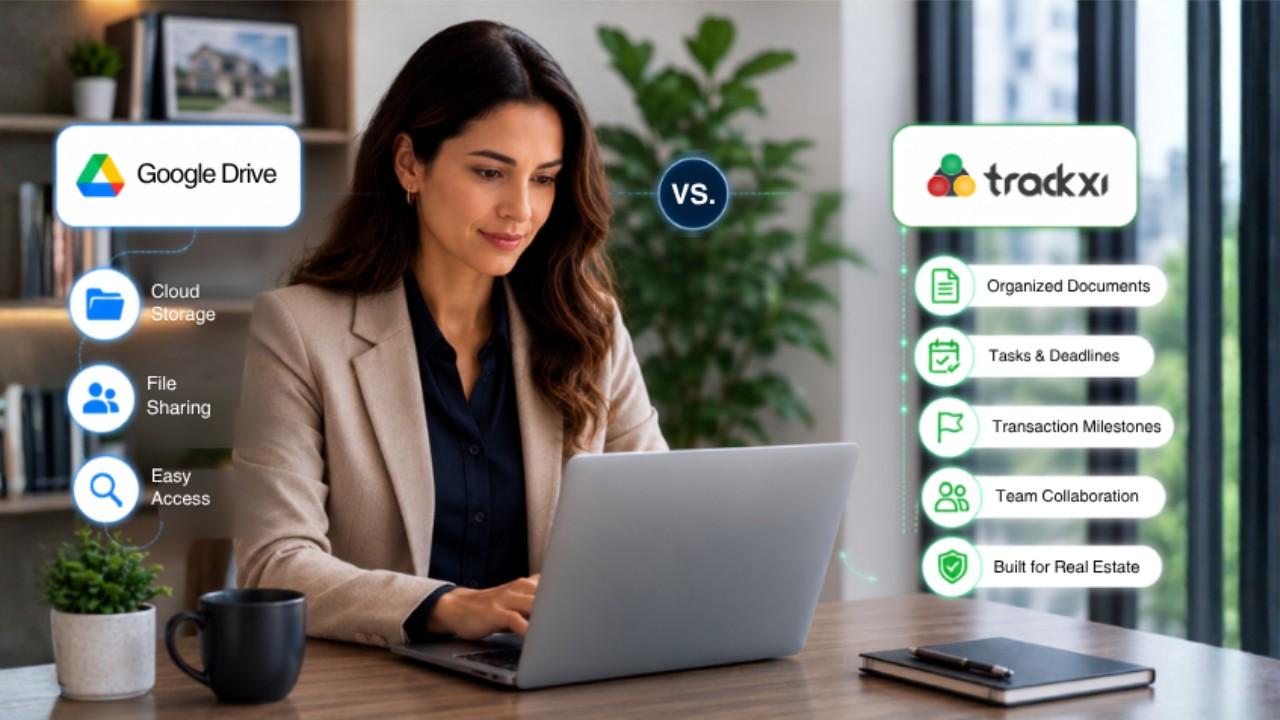
The challenge isn’t that Google Drive is a poor cloud storage solution. It does exactly what it was designed to do. The challenge is that cloud storage and real estate file management software serve different purposes. Google Drive organizes files into folders, while purpose-built real estate file management software organizes files around each transaction by bringing documents, tasks, milestones, and collaboration together in one place.
In this guide, we’ll compare Google Drive vs. Trackxi to explore where Google Drive excels, where it begins to show its limitations as your business scales, and how a purpose-built real estate file management solution can help you simplify document management, improve collaboration, and streamline every transaction.
Why Google Drive Is a Popular Choice for Real Estate Professionals

For many real estate businesses, Google Drive has been the foundation of their document management process for years. As transactions close, new folders are created, documents are uploaded, and completed deals are archived, gradually building a familiar folder structure that teams rely on every day.
It provides a practical way to organize transaction files, maintain historical records, back up important documents, and securely share files with external parties. Because everything is stored in the cloud, teams can access documents from virtually anywhere without relying on local servers or physical paperwork.
For many solo agents and small teams, this approach works well. Google Drive offers the flexibility and storage needed to manage transaction documents efficiently. However, as transaction volume grows, organizing files within folders becomes only one part of managing a successful real estate transaction.
The Hidden Challenges of Managing Real Estate Files in Google Drive

Google Drive works great for keeping and sharing documents, but it wasn’t built to handle the complexity of an active real estate transaction. As your business grows, the challenge shifts from finding your documents to finding them quickly and connecting them to the right transaction.
Finding the Right Document Takes More Time
As active transactions increase, so does the number of folders, subfolders, and document versions. A single transaction can include contracts, disclosures, inspection reports, amendments, lender documents, invoices, and closing paperwork. Locating the latest file or confirming you’re working from the correct version can become a time-consuming task, especially when every minute counts.
It's Difficult to Know What's Missing
With a folder-based system it is not always clear if all necessary documents have been uploaded. Teams end up sort of wandering through folders, checking files one by one, or even asking a colleague if something was received and saved. As the number of transactions keep growing, managing the missing paperwork becomes increasingly challenging.
Files Can End Up in Different Places
If more than one person is editing the document, it can be stored in various folders, with different names or be duplicated between revisions. Those files are securely stored in Google Drive, but locating the correct doc in the future may require additional time, especially when working through dozens of active transactions.
Managing Transactions Across Multiple Tools
Real estate transactions involve more than documents. Files may be stored in Google Drive, but transaction records are typically maintained in other software, emails are used to communicate with clients, important dates are in calendars and notes in spreadsheets or messaging apps. It can be challenging to move between disconnected tools during the day and can reduce visibility and potentially make collaboration less efficient.
Folder Organization Doesn't Scale Forever
Folder structures work well for handling a small number of transactions. But once your business starts growing, keeping everything consistent, across hundreds of folders and thousands of documents becomes a bit messy. What once felt easy, can start to get harder to manage, especially if your team keeps expanding.
The challenge isn’t Google Drive itself. Growing real estate businesses need more than simple cloud storage. They need a solution to organize documents within the actual context of each transaction that make it easier to locate files, spot missing paperwork faster, coordinate with the team, and keep every single deal moving forward, without delays.
Folder-Based File Management vs. Transaction-Based File Management

As your transaction volume grows, the way you organize files becomes just as important as where you store them. Traditional folder-based file management works well for storing documents, but real estate transactions involve much more than files alone.
With a folder-based approach, documents are organized into folders and subfolders. Teams frequently need to locate files, toggle between various tools, and manually correlate data from emails, calendars, spreadsheets or transaction management platforms to determine the status of a transaction.
Transaction-based file management takes a different approach. It groups things together based on the transaction, rather than folders. Documents are always attached to the deal they belong to, allowing your team to share the same workspace to organize files, tasks, milestones, and collaboration. The outcome is the reduction of time in searching for information and a greater focus on getting the transactions to closing.
| Folder-Based File Management | Transaction-Based File Management |
|---|---|
|
Documents are organized into folders |
Every document is organized within its transaction |
|
Teams search through folders to find files |
Documents are available directly from the transaction workspace |
|
File status and transaction progress are tracked separately |
Documents and transaction progress stay connected |
|
Teams switch between multiple tools for updates |
Documents, collaboration, and workflow come together in one place |
|
It’s harder to identify missing or pending documents |
Teams have better visibility into what’s available and what still needs attention |
|
Managing more transactions means creating and maintaining more folders |
Transactions stay organized as your business grows without adding more manual file management |
How Trackxi Simplifies Real Estate File Management with a Single Source of Truth

Real estate professionals don’t just need a place to store documents. They need a way to manage the entire transaction around those documents. When files, deadlines, tasks, and updates are spread across different platforms, teams spend valuable time searching for information instead of moving deals forward.
Trackxi consolidates all transaction documents, milestones, tasks and critical information in a single central workspace and makes it a single source of truth for every deal. Your team can see the information they need straight from the transaction, rather than searching through hundreds of folders, checking the various systems or calling other team members for updates.
Trackxi is not just like a folder-based file system, it arranges documents based on the transaction they are associated with. This means that each deal will have a defined workspace in which your team can:
- Find transaction files quicker: Search the appropriate documents without looking through several folders, or without having to wonder where the document has been saved.
- Keep every transaction organized: Store documents within the context of each deal, making it easier to understand the complete transaction picture.
- Be aware of what needs attention: Don’t have to manually collate information, stay updated with important milestones and tasks, as well as transaction updates.
- Keep teams aligned: Ensure agents, brokers and transaction coordinators have access to the same transaction-updated information.
- Manage more transactions without increasing file complexity: Replace growing folder structures with a more organized approach built around the way real estate teams work.
With Trackxi, your team spends less time managing scattered information and more time focusing on clients, collaboration, and closing transactions.
Google Drive vs. Trackxi: Feature Comparison for Real Estate File Management
Google Drive and Trackxi both help real estate professionals manage documents, but they solve different challenges. Google Drive provides flexible cloud storage, while Trackxi combines document management with transaction workflows designed specifically for real estate teams.
| Feature | Google Drive | Trackxi |
|---|---|---|
|
Built for Real Estate Transactions |
❌ General-purpose cloud storage |
✅ Purpose-built for real estate transactions |
|
Document Storage & Organization |
✅ Store files using folders |
✅ Organize documents within each transaction |
|
Transaction-Based File Management |
❌ Folder-based organization |
✅ Documents connected to each deal |
|
Task Management |
❌ Requires separate tools |
✅ Manage transaction-related tasks |
|
Transaction Visibility |
❌ Limited to file storage |
✅ Real-time transaction progress via visual timeline |
|
Milestone Tracking |
❌ Requires manual tracking |
✅ Track important transaction milestones |
|
Missing Document Alerts |
❌ Requires manual checking to identify missing files or follow-ups |
✅ Alerts teams about missing, expired, or expiring buyer agreement |
|
Secure File Sharing |
✅ Share files and folders |
✅ Share transaction with role-based access |
|
Team Collaboration |
✅ File sharing and comments |
✅ Collaboration within transaction context |
|
Scalability |
❌ More transactions require more folder management |
✅ Scale with structured transaction workflows |
Keep Your Google Drive Workflow While Managing Transactions Better with Trackxi
Many real estate professionals already have years of transaction documents stored in Google Drive. Existing folder structures, archived files, team workflows, and familiarity with Google’s ecosystem make it a valuable part of their daily operations.
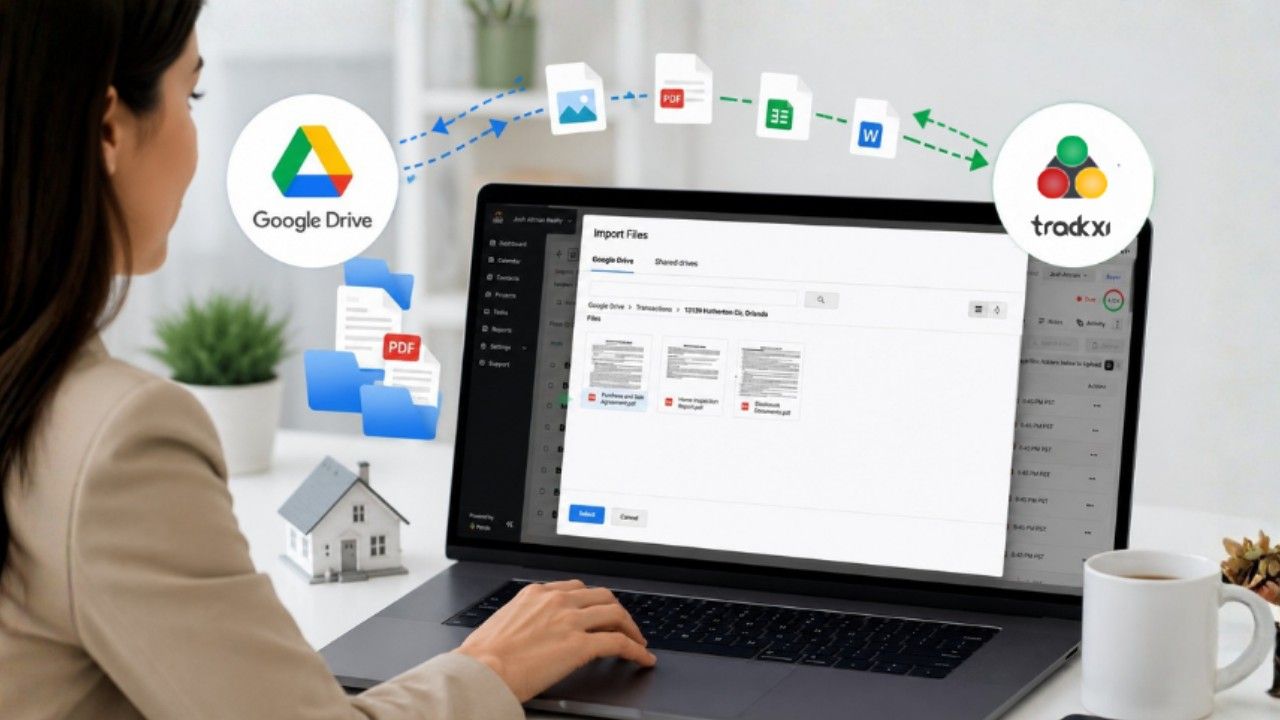
Trackxi helps teams build on that existing workflow instead of forcing a complete change. With Google Drive integration, teams can continue using their preferred cloud storage while gaining a transaction-focused workspace designed for real estate workflows.
With Trackxi, real estate teams can:
- Access Google Drive files within Trackxi: View and manage existing documents from the transaction workspace without constantly switching between platforms.
- Import and export documents easily: Move files between Google Drive and Trackxi without unnecessary downloads and uploads.
- Organize files around transactions: Connect documents to the specific deal they belong to instead of relying only on folder structures.
- Keep historical files and current transactions organized: Maintain Google Drive as a flexible storage solution while using Trackxi to manage active transaction workflows.
- Bring documents and transaction activities together: Keep files connected with timelines, tasks, milestones, and transaction updates for better visibility.
By combining Google Drive’s flexibility with Trackxi’s transaction-based organization, real estate teams can maintain their existing file management habits while creating a more efficient process for managing deals from contract to close.
Ready to Move Beyond Folder-Based File Management?
Stop spending time searching through folders and disconnected tools. See how Trackxi helps real estate teams organize documents, manage transactions, and keep every deal moving in one connected workspace.
Experience smarter transaction management with Trackxi. Start your free trial or book a personalized demo today.
Frequently Asked Questions About Real Estate File Management Software
Google Drive is good for storing and sharing documents, but growing real estate teams require more than file storage. A specialized real estate transaction management software allows you to manage documents, deadlines, milestones, and the workflow all in one place.
Google Drive organizes files into folders, while real estate file management software organizes documents around transactions, connecting files with tasks, milestones, and deal progress.
Yes. Trackxi integrates with Google Drive, allowing teams to keep their existing files while managing transactions through a more organized workflow.
Trackxi organizes documents around each transaction instead of separate folders, helping teams access files faster, track important updates, manage document status, and keep transactions organized from contract to close.
